
Marketing Automation (MA) Tool
Detect site visits, email opens and clicks, and automate follow-up all the way to the purchase or inquiry.

* A marketing automation (MA) tool brings together behavior data — like page views and email opens — and automates how you reach out based on each person’s level of interest, turning everything from attracting visitors to winning purchases and inquiries into a repeatable system. marketingLABO is built so a small team can run it without a dedicated marketer.
Site visits, email opens and clicks
All behavior in one place
Matched to each person’s interest
Email and on-site messages, automated
Opens, clicks and conversions
Measured in reports
Sign-ups are growing.
Sales and inquiries aren’t.

No follow-up after
someone signs up or asks

Follow-up timing
comes down to gut feeling
More sign-ups than
you can follow up with

Looked at MA tools,
but the cost didn’t add up

automates the follow-up for you!
Reach out at the moment it matters
Marketing automation (MA) uses each person’s behavior to take the next step for you, automatically. Right after someone views a product page several times, or comes back to your site after a long break, you can reach them while their interest is at its peak. marketingLABO captures site visits, pages viewed, email opens and link clicks in one dashboard, and automates the follow-up from there.
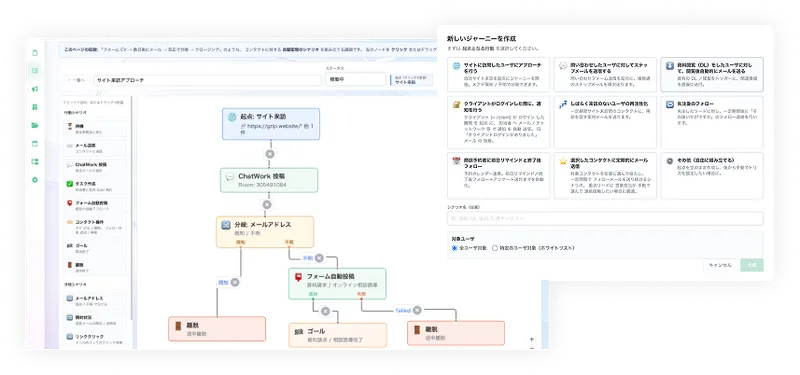
The next step branches automatically, based on what people do
Build flows like “send a thank-you email right after sign-up,” “resend with a new subject if it isn’t opened,” or “send a coupon if they don’t come back” by connecting parts on screen. Journeys keep running on their own, so no one falls through the cracks and every contact gets the same quality of follow-up.
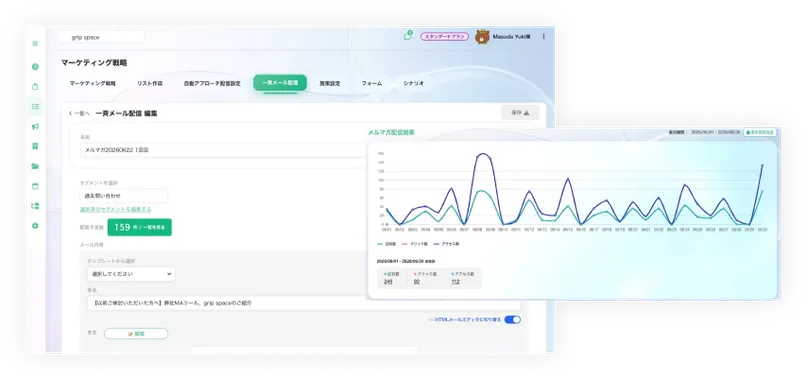
Send emails and measure every open and click
Send emails to people who signed up, with open and click rates tallied for each send. Feed the best-performing copy back into your journeys to keep sharpening your follow-up.
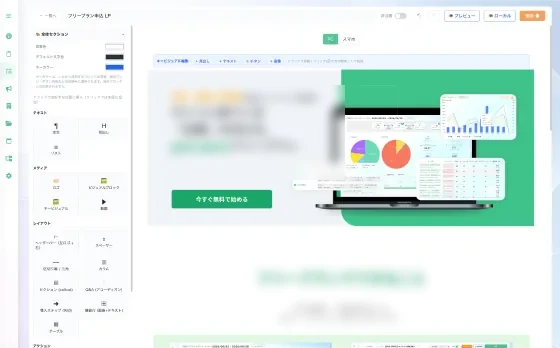
Build a page for every campaign and publish it on the spot
Create a dedicated landing page for each email or ad campaign without code, and publish it right away. Forms are built in the same dashboard, so you can prepare the pages your journeys point to in-house, without hiring an agency (landing pages are available on Light and above).
Reach the people you can’t email
Even anonymous visitors whose email you don’t have can be reached on your site. Email the people you know, and use pop-up banners and chatbots for everyone else.
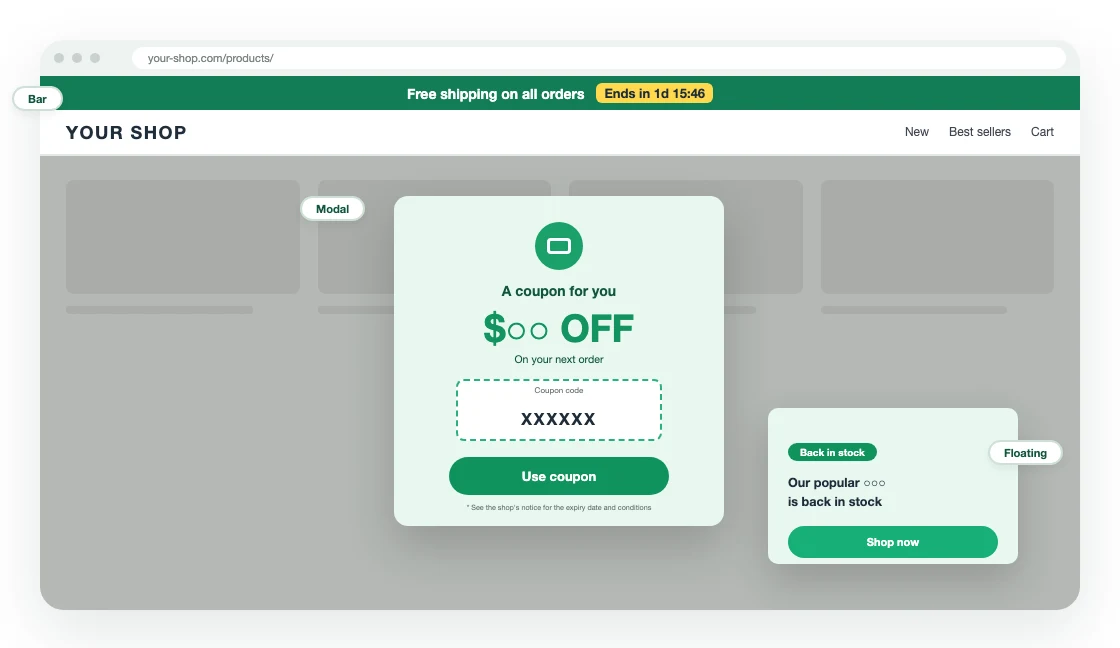
Show the right banner just as visitors are about to leave
Target banners by the page being viewed, the number of visits and the days since the last visit. Banners can also appear on exit intent. Your site’s HTML stays as it is — one tracking tag is all it takes.
- Target by pages viewed, number of visits and days since the last visit
- Show on exit intent
- Start from 55 e-commerce templates and just edit the copy
- Impressions and clicks per campaign
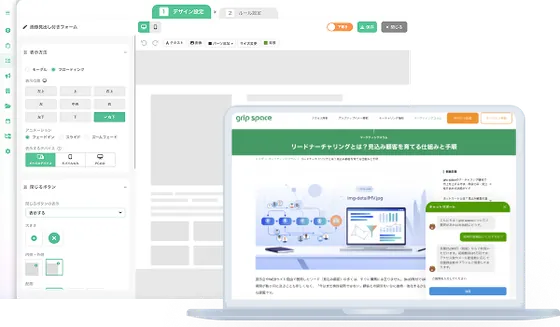
Answer questions and capture sign-ups on your site, automatically
Build a conversation flow and show it on your site, so visitors get answers even outside business hours. Names and email addresses entered in the chatbot’s form are saved as contacts, ready for follow-up.
- Build conversations with choice buttons, free text, forms and link buttons
- Let AI answer questions based on PDF documents you upload
- Choose the pages, and when it appears (scroll depth or time on page)
- See opens, answers and submissions, plus the contacts who replied
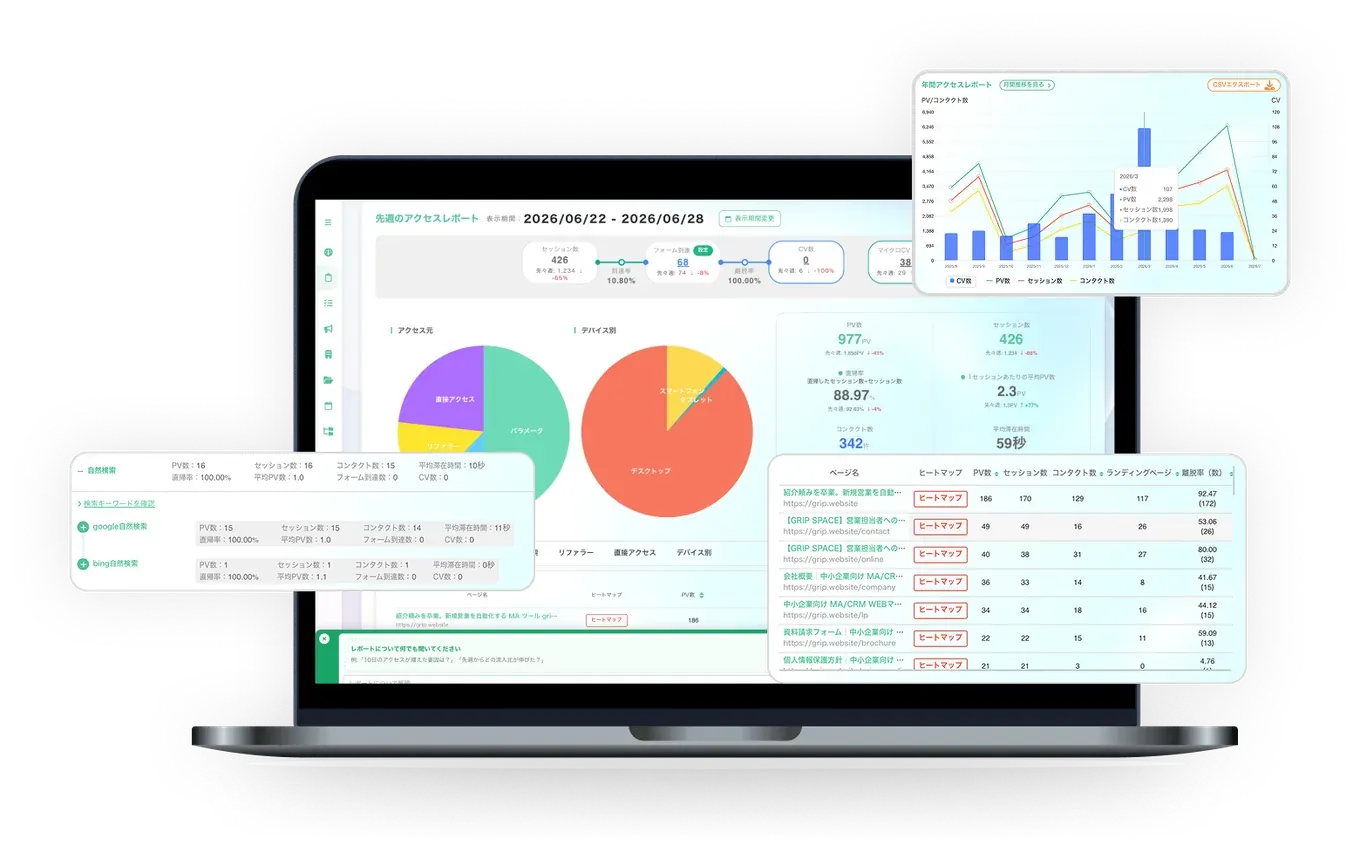
See which campaigns led to results, all in one place
Email opens and clicks, on-site behavior and conversions are recorded in the same place, so you can see where people drop out of a journey and which touchpoints led to a purchase or inquiry. Combined with heatmaps and traffic reports, you can pinpoint what to improve with real numbers.
Frequently asked questions
3 plans for the way you work.
Start free, today.
Monthly / setup fee
No time limit · no credit card
For getting started with marketing automation
$290 a year + tax ($24.17/mo)
For running one site in earnest
$590 a year + tax ($49.17/mo)
For several sites or a team
* Prices are in US dollars and exclude tax; applicable tax is added at checkout. The yearly price is 10 months’ worth (2 months free). No setup fee and no minimum term.
* Choose a paid plan on the sign-up form, or upgrade anytime from Plan in the dashboard. Paid plans are billed by card and renew automatically. The Light plan is free for 14 days on your first sign-up; switch back to Free during the trial and you won’t be charged.
* Page views are counted by the tracking tag. We email you at 80% and 100% of your monthly limit. If you go over the limit two months in a row, banners and chatbots stop showing and journeys stop sending (tracking continues). Once chatbot AI answers reach the monthly limit, AI replies pause for the rest of the month and the chatbot points visitors to your contact options instead.
Start with the Free plan.
Here’s how to get started. It doesn’t cost anything.
Sign up → add the tag → log in
* Works on any site where you can add a tag to the <head> of every page — plain HTML, your own CMS, or a hosted store builder.
Learn more about marketing automation
Turn follow-up into a system.
Journeys, email, pop-up banners and chatbots — everything MA needs, starting on the Free plan.
No credit card required. Get started with just an email address and password.