
Up and running today
Add one tag
Paste the tracking tag into every page. No redesign, no rebuild.
Visitor behavior builds up
See which pages each visitor read, how far they scrolled, and which visit it was.
Set conditions and show a banner
Decide who, on which page, and when — and show the banner.
You can see your traffic.
You can’t see why people leave.

You see the numbers,
but not where shoppers
hesitated and left.

When you notice a drop-off,
there’s nothing you can do
in the moment.
Analytics ×
Pop-up banners
Time on page, scroll depth and clicks are recorded, and banners are shown on conditions built from that record. Analytics and banners live in the same dashboard.
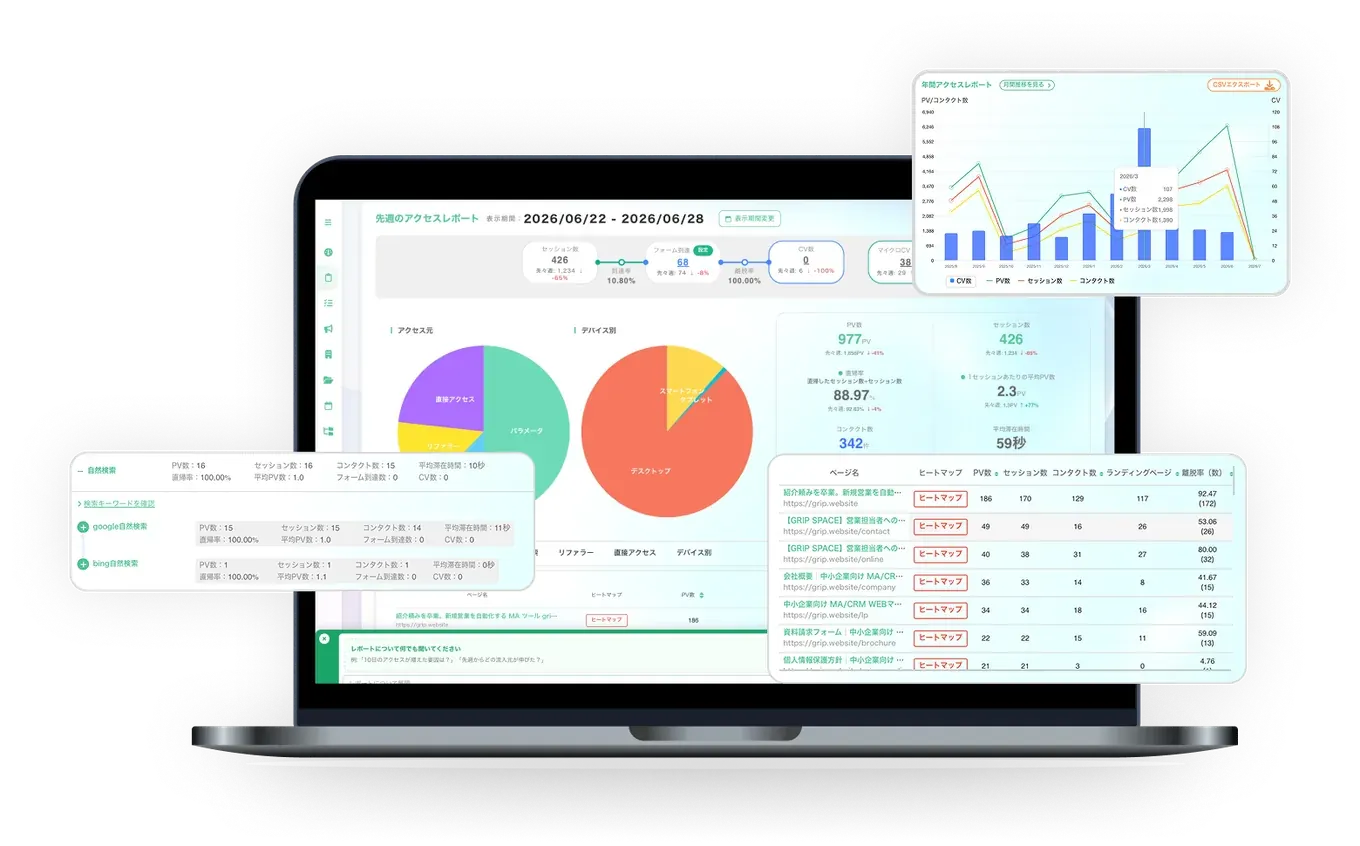
Find exactly where visitors drop off
Heatmaps show mouse movement, scroll depth and clicks for each page. Each visitor’s actions are kept as a timeline, so you can follow moves like “went to the cart and came back” or “viewed the same product page three times.” You see which pages lose the most visitors, and where on the page they left.
- Heatmaps for each page (mouse movement, scroll depth, clicks)
- A timeline of what each visitor did
- Reports by traffic source, page and conversion
- Micro-conversions: pages viewed, specific URLs, time on page and return visits
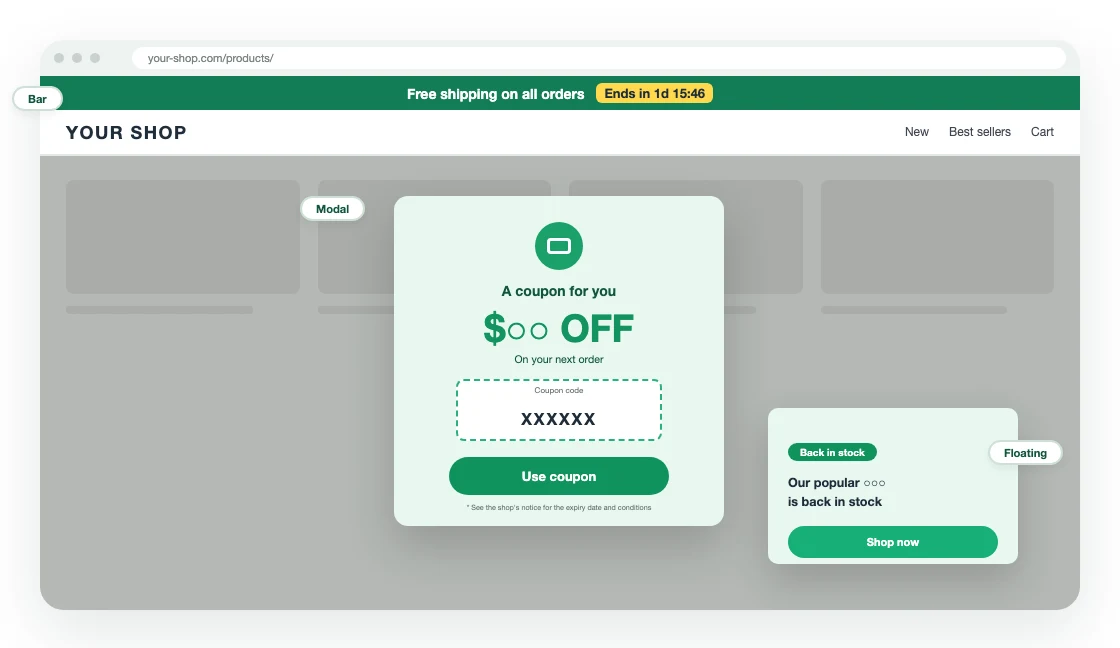
Show the right banner as visitors are about to leave
Target banners by the page being viewed, the number of visits and the days since the last visit. Banners can also appear on exit intent. Your site’s HTML stays as it is — one tracking tag is all it takes.
- Target by pages viewed, number of visits and days since the last visit
- Show on exit intent
- Build banners without code
- Impressions and clicks per campaign
Start from a ready-made e-commerce template
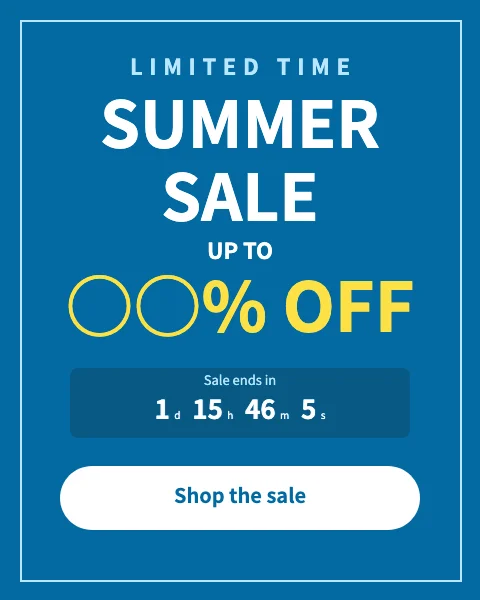
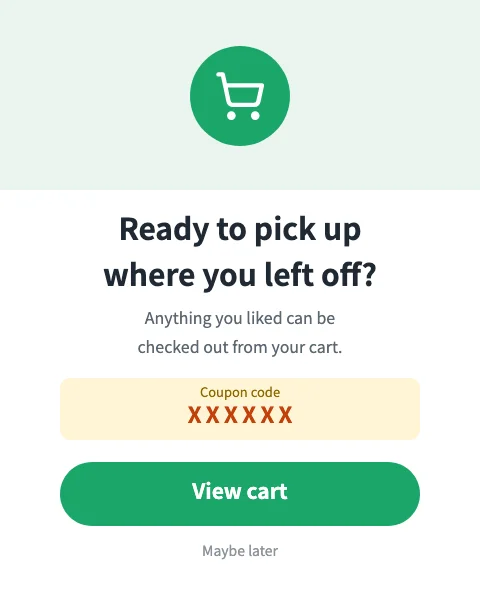
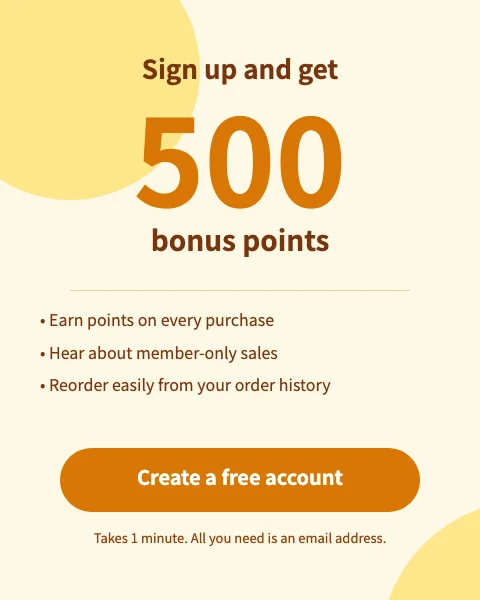
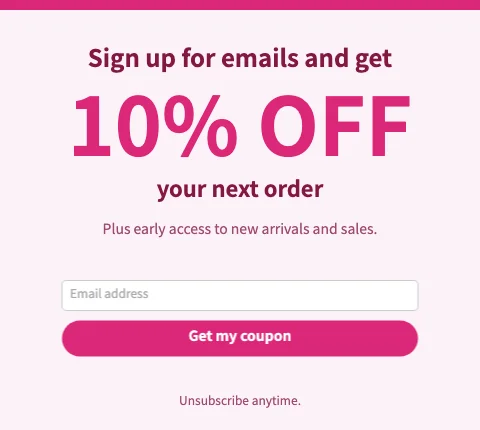
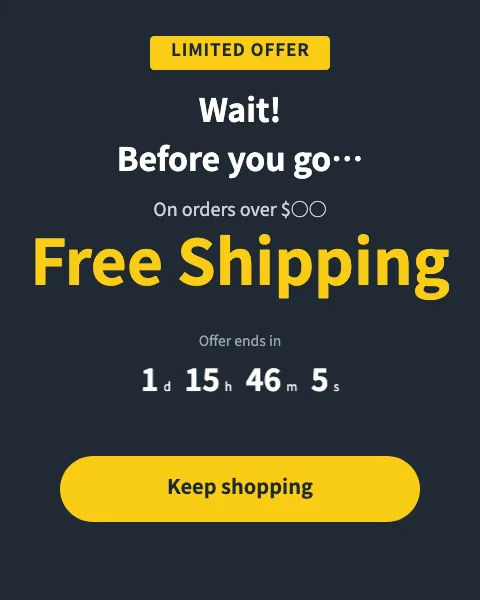
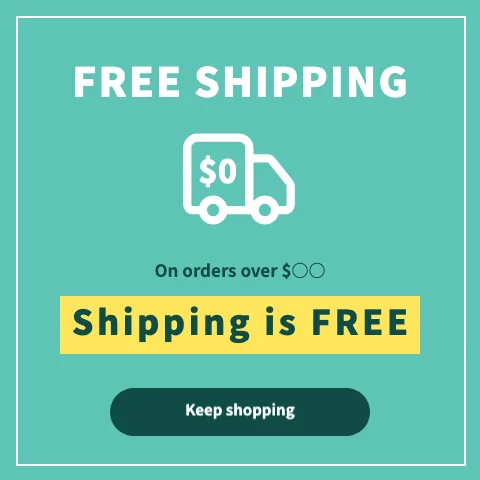
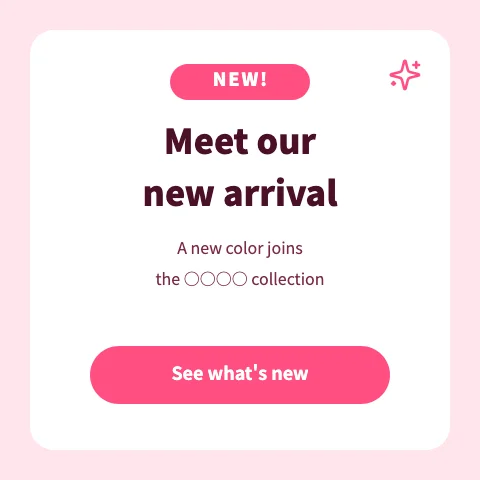
55 templates for common e-commerce goals. Change the copy and colors, add a countdown or a sign-up form, and publish.
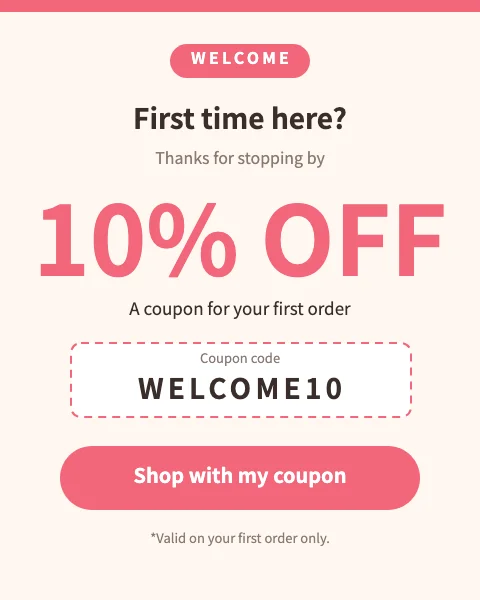
- Coupons & discounts
- Free shipping
- Cart reminders
- Sign-up & points
- Sales & limited time
- New arrivals & restocks
- Exit intent
- Email sign-up
- Social & messaging
- Announcement bars
- Image only
- Image, headline and button
- With countdown
- With email sign-up form
- Modal
- Floating
- Bar
- All devices
- Mobile only
- Desktop only
- Separate desktop and mobile images
- Impressions per campaign
- Clicks per campaign
- In the same dashboard as analytics
For example, you can…
First-time visitors
See a sign-up offer
Visit frequency = firstViewed the cart but not the order-complete page, and came back
See a coupon
Pages viewed / not viewed, visitsReturning after 30+ days
See your new arrivals
Days since last visitVisitors from your ads
See the matching campaign banner
Traffic source = parameterAbout to leave
See a coupon
Exit intentScrolled halfway down a product page
See a free shipping notice
Scroll 50%
Combine pages, number of visits, days since the last visit, pages viewed or not viewed, traffic source, scroll depth, time on page and exit intent.
Turn what you learn into targeting conditions
Analytics and pop-up banners read the same visitor data from the same tracking tag. So conditions you find in analytics — “third visit,” “back after 30 days,” “viewed this product page” — can be used as banner conditions as they are.
Keep in touch automatically after they sign up
Send people who signed up through a banner or form a series of emails, timed to what they do next. Change the next email depending on whether they opened it or came back to your site (Standard plan).
Collect behavior
Page views, form submissions, and email opens and clicks are recorded for each visitor.
Send automatically based on reactions
Combine waits, emails and branches into a scenario that sends each person the right email.
Review results and improve
Check sends, opens and clicks by day, and see at which stage people stop.
What starts it
- Form submission
- Site visit
- People who haven’t visited in a while
- Contacts you pick
What to send, in what order
- Wait
- Send email
- Add or remove tags
- Goal / exit
Split by reaction
- Opened / didn’t open
- Clicked / didn’t click
- Came back / didn’t come back
- Viewed a page / didn’t view it
- Email known / unknown
Start from a template
- Approach site visitors
- Follow-up emails after a form submission
- Win back inactive visitors
Example: following up with new sign-ups
- Sign-up form submitted
- Thank-you & getting-started email
- Wait 3 days
- Opened?YesPopular products emailNoResend with a new subject
- Wait 7 days
- Came back to the site?YesGoalNoCoupon email
Build scenarios by connecting parts on screen. For each journey, see the daily audience, sends, opens and clicks, and which stage each person is at.
People who unsubscribe don’t receive the remaining emails.
Follow up in the same tool
Email newsletters, journeys and landing pages are in the same dashboard.
- Email newslettersSend newsletters to people who signed up.Light and above
- JourneysSend emails automatically in order, like “this email 3 days after sign-up.”Standard
- Landing pagesBuild campaign pages by stacking blocks.Light and above
- Forms with drop-off trackingCreate contact and sign-up forms, and see where people stopped filling them in.All plans
- HeatmapsSee in color which parts of a page are read and clicked.All plans
Start free. Upgrade when you need to.
No minimum term or setup fee. Prices are in US dollars and exclude tax.
Free
Start with measurement
$0/ month
No time limit · no credit card required
- 1 site
- Analytics, heatmaps and visitor history
- 1 form & 1 pop-up banner
Light
Start growing one site
$29/ month
or $290 / year
- 1 site
- 3 forms & 3 banners
- 1 landing page, email newsletters
Standard
Run several sites in earnest
$59/ month
or $590 / year
- 3 sites
- Unlimited forms, banners and landing pages
- Journeys, web ads management, sub-accounts
| Features | Free | Light | Standard |
|---|---|---|---|
| Sites | 1 | 1 | 3 |
| Analytics, heatmaps and visitor history | ✓ | ✓ | ✓ |
| Published forms | 1 | 3 | Unlimited |
| Published pop-up banners | 1 | 3 | Unlimited |
| Landing pages | − | 1 | Unlimited |
| Email newsletters | − | ✓ | ✓ |
| Journeys (automated email) | − | − | ✓ |
| Web ads management | − | − | ✓ |
| Sub-accounts | − | − | ✓ |
Prices are in US dollars and exclude tax; applicable tax is added at checkout. Paid plans are billed by card and renew automatically.
No minimum term or setup fee. Upgrade anytime from Plan in the dashboard.
Terms of ServiceLegal NoticeLog in
Frequently asked questions
Do I need to rebuild my site?
No. Just add the tracking tag to every page.
Which sites does it work with?
Any site where you can add a tag to the <head> of every page.
What’s included in the Free plan?
One site with analytics, heatmaps and visitor history, with no time limit. You can create one form and one pop-up banner.
Do I need a credit card?
Not for the Free plan. After signing up, you can switch to a paid plan from Plan in the dashboard.
Can I tell if my emails are read?
Yes. Opens and link clicks are measured, and journeys can branch on them — for example, resend with a new subject to people who didn’t open, or send the next message only to people who clicked.
What about visitors without an email address?
Journeys can branch on whether the email address is known. For visitors you can’t email, show a pop-up banner with a sign-up offer or a coupon.
Is the dashboard in English?
Yes. You can switch between English and Japanese anytime from the account menu.
Start free today
Analytics, pop-up banners, email, landing pages and journeys in one dashboard.
Free plan, no time limit. No credit card required.
Get started with just an email address and password.