
Instagram feeds and GDPR: what data flows when you embed one
If your website serves visitors in the EU or the UK, adding an Instagram feed raises a fair question: what happens to your visitors’ data when the feed loads? This article traces every request a Social Feed by grip space widget makes, says who receives what, and explains which GDPR concepts those facts feed into. It describes how the technology works; it is not legal advice, and the conclusions for your site are yours (and your adviser’s) to draw.
Updated October 12, 2026
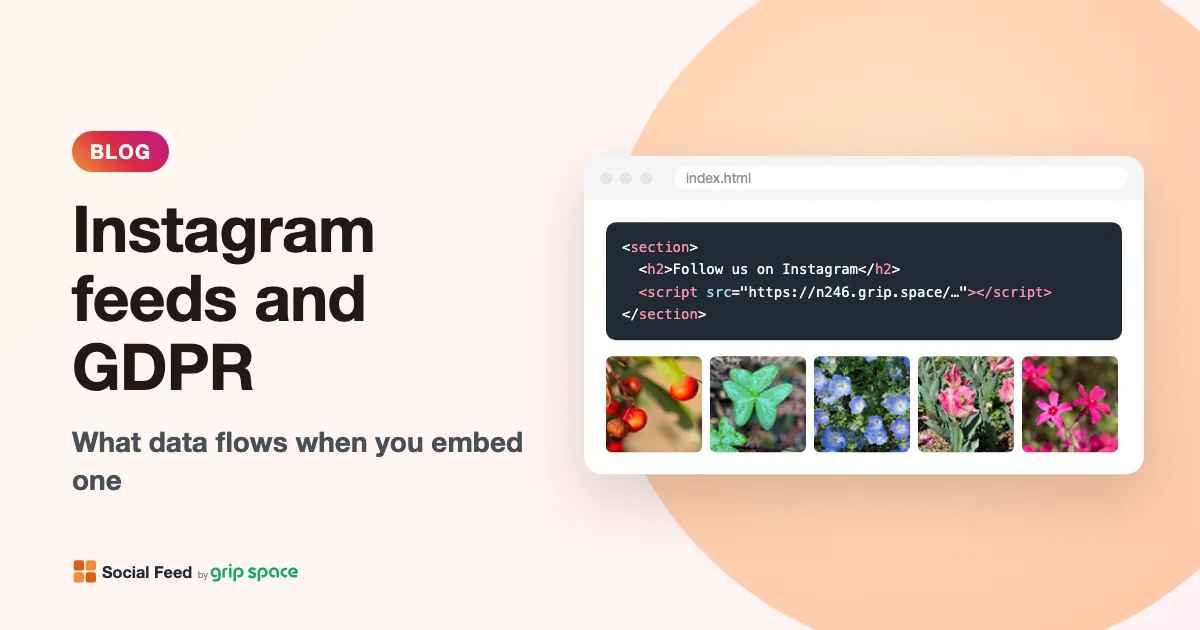
Why an Instagram feed is a GDPR question at all
The GDPR applies to the processing of personal data. The European Commission defines personal data as any information that relates to an identified or identifiable living individual, and its own list of examples includes an Internet Protocol (IP) address and a cookie ID. That matters here because every time a browser loads anything from another server (a script, an image, a video), the request reaches that server from the visitor’s IP address. No cookie is needed for that to happen; it is simply how the internet delivers content.
So the honest starting point is this: any embed that loads content from a third party sends that third party the visitor’s IP address, along with some technical details about the browser. An Instagram feed is no exception. The useful questions are which parties receive what, whether anything is stored on the visitor’s device, and what each party does with the data afterwards.
There is also a second set of rules next to the GDPR: the ePrivacy rules (in the UK, the Privacy and Electronic Communications Regulations, or PECR), which govern storing or reading information on a visitor’s device. That is where cookie banners come from. This article focuses on the GDPR side; the consent question has its own article, Do you need cookie consent for an Instagram feed?
The four parties involved
When a page with a feed is opened, four parties are involved. It helps to name them before following the data:
| Party | Role in the feed |
|---|---|
| The visitor | Their browser opens your page and loads everything the page asks for. |
| You, the website owner | You chose to put the feed on the page and decide which pages carry it and how it is configured. |
| Social Feed by grip space (ibis studio K.K.) | Serves the widget script, which contains your posts and settings, and counts how many times the widget is displayed. |
| Meta (Instagram) | Hosts the photos and videos on its content delivery network (CDN). The visitor’s browser fetches them directly from Instagram’s servers. |
What happens, request by request
Here is the sequence when a visitor opens a page that contains the widget. You can watch all of it yourself in your browser’s developer tools; the steps for that are further down.
- The browser requests the widget script from our server (the address in the src of your embed code). Like any web request, it arrives with the visitor’s IP address, the browser’s user agent string and, depending on your site’s referrer policy, a Referer header. By default, browsers send only your site’s origin (for example https://example.com/) on cross-origin requests, not the full page address.
- The script builds the feed inside your page. The list of posts (image addresses, captions, like counts) and your widget settings are already contained in the script, so the widget makes no further data requests. There is no iframe: the feed is ordinary HTML in your page.
- The browser loads the images from Instagram’s CDN. Post images, video thumbnails and the account’s profile picture are fetched directly from Instagram’s servers. We do not proxy or copy them. Each image request carries the visitor’s IP address and user agent, plus a Referer under the same rules as above. In a grid, the first row loads right away and the rest load lazily, as the visitor scrolls near them; in a slider, all images load right away.
- The script sends one view-count request to our server. It is a request for a tiny transparent image. Its address contains your widget’s ID and a timestamp (to stop caching), and nothing else from the page.
- Only if the visitor opens a video in the lightbox does the browser fetch that video, again directly from Instagram’s CDN. Videos are never preloaded in the grid.
- Only if the visitor clicks a link (the Follow button, “View on Instagram”, a post set to open Instagram, or the “Powered by Social Feed” credit) does the browser navigate to that site in a new tab. From that point the visitor is on instagram.com or on our site, under that site’s own privacy policy.
Who receives what: a summary table
| Request | Received by | What it carries | What happens to it |
|---|---|---|---|
| Widget script | Social Feed by grip space | IP address, user agent, Referer (usually your site’s origin) | The script is generated and returned. Nothing about the visitor is added to the widget data. |
| Images and video thumbnails | Meta (Instagram CDN) | IP address, user agent, Referer (usually your site’s origin) | Handled by Meta under Meta’s own policies. We have no visibility into it. |
| View counter | Social Feed by grip space | IP address, user agent, Referer, widget ID, timestamp | IP address and user agent are checked at that moment to leave out bots; only a daily count per widget is stored. |
| Video (when opened) | Meta (Instagram CDN) | IP address, user agent, Referer | Handled by Meta. |
| Link clicks | Instagram or our website | A normal page visit in a new tab | Under the destination site’s policy. |
Our privacy policy states the view-count part in plain terms: we count the number of times widgets are displayed on a daily basis, and this count does not include information that identifies website visitors (IP addresses, cookies, URLs of pages viewed, and so on). The count exists because the Free and Light plans have monthly view allowances, and it is what you see as the view chart in your dashboard.
What the widget does not do
Just as important as what flows is what doesn’t. The Social Feed widget:
- Sets no cookies and does not use localStorage or sessionStorage.
- Loads no other scripts. There is no analytics library, advertising tag or social media SDK inside it.
- Uses no iframe, so there is no Instagram page running inside your page.
- Makes no data requests from the page (no fetch or XMLHttpRequest calls). The posts arrive inside the script.
- Doesn’t collect form input, clicks or scrolling. The only request it makes on its own is the single view-count request described above.
- Loads no web fonts. Text uses your page’s font.
If you need these facts for a security review as well, the Content Security Policy guide lists the same requests by CSP directive.
What Meta receives, and what we can’t tell you
Because the images come straight from Instagram’s CDN, Meta’s servers receive a request from each visitor whose browser loads them. That request includes the visitor’s IP address, the user agent and usually your site’s origin as the Referer. These requests go to Instagram’s CDN hostnames, not to instagram.com itself, and the widget doesn’t add any identifier of its own to them.
What Meta does with those requests is set by Meta, not by us, and we can’t see or influence it. Meta describes its data practices in its Privacy Policy. We won’t speculate about Meta’s internal processing. The practical point for your GDPR assessment is simply that the transmission happens, and that it happens because a page on your site asked the browser to load those images.
If you want to see whether any cookies are attached to those image requests in a given browser, the developer tools will show you (see the checks below). Results can differ between browsers, because browsers handle third-party cookies differently.
The data about you, the account owner
Separately from visitors, there is the data you give us by connecting your account. Our privacy policy lists it: the user ID, username and account type of the connected Instagram professional account, the API access token and its expiration date, and the posts of that account (images, videos, captions, posting dates, like counts). We do not obtain information about other Instagram users, direct messages or the like. When you disconnect the account in the dashboard, or remove the app from Instagram, the token, account information and widget settings for that account are deleted.
Captions are part of what the widget displays. If your captions mention or tag other people, those mentions will appear on your website exactly as they appear on Instagram. That is a content decision rather than a technical data flow, but it is worth a moment’s thought if your posts feature customers, staff or students. The caption keyword filter can keep specific posts off the website if needed.
Where the GDPR concepts come in
With the facts laid out, here is how they connect to the main GDPR ideas. We describe the questions; we don’t answer them for your organization.
Who is responsible for the transmission? In the Fashion ID case (C-40/17, decided in 2019 under the GDPR’s predecessor directive), the Court of Justice of the EU looked at a website that embedded Facebook’s “Like” button. The Court’s press release explains that embedding the button appeared to transmit visitors’ personal data to Facebook “regardless of whether or not he or she is a member of the social network Facebook or has clicked on the ‘Like’ button.” The Court found that the website operator can be a controller jointly with Facebook for the collection and transmission of that data, but not, in principle, for what Facebook does with it afterwards. A feed widget is not a Like button, but the reasoning explains why website owners are asked to think about third-party content they embed.
On what basis? Every processing operation needs a lawful basis under the GDPR. Which one fits an Instagram feed (often discussed: legitimate interests or consent) is a judgment for your organization, and the ePrivacy rules can require consent independently of the GDPR basis. Our cookie consent article covers that side.
Have you told people? Transparency is required regardless of basis. The EDPB’s guide for small businesses says you must communicate with people “in a clear and understandable language” and suggests a layered approach. Our article on what to write in your privacy policy about Instagram embeds includes a checklist and sample wording.
Does data leave the EU? Meta explains its own international transfers in its policy. We (ibis studio K.K.) are a company based in Japan. The European Commission lists Japan among the countries with an adequacy decision, meaning, in the Commission’s words, that personal data can flow from the EU to that country without any further safeguard being necessary. Whether that settles the question for your setup is for your assessment.
How long is data kept? For the view count, what we keep is a number per widget per day. For Meta, see Meta’s policy.
How this compares with Instagram’s own embed
Instagram’s native “Embed” option works differently. The code is a blockquote plus Instagram’s embed.js script, and Meta’s documentation says that when the library loads, it scans the page for the post HTML and generates the fully rendered post. In practice that rendered post is an iframe: a page from instagram.com running inside your page, with its own scripts, styles and images. We describe it in detail in Instagram embed vs. feed widget.
| Instagram’s native embed | Social Feed widget | |
|---|---|---|
| Script from | instagram.com (embed.js) | Our server (one script) |
| Iframe | Yes, one instagram.com page per post | None |
| Images from | Instagram, inside the iframe | Instagram’s CDN, directly in your page |
| Cookies or storage set by the embed | Decided by Instagram’s page inside the iframe; check in your browser | None set by the widget |
| Data the visitor’s browser sends to Meta | Whatever the instagram.com page requests | Image and video requests (IP address, user agent, Referer) |
Neither approach sends zero data to Meta, because in both cases the pictures come from Instagram. The difference is that with the native embed, Instagram’s own page and scripts run on your site, and what they do is up to Instagram; with the widget, the only contact with Meta is the image and video loading itself.
Check it yourself in five minutes
You don’t have to take our word for any of this. Here is how to verify the data flows on your own page in Chrome or Edge (Firefox works the same way with slightly different labels):
- Open the page with the feed in a private window, so existing cookies don’t muddy the results.
- Open the developer tools (F12, or Cmd+Option+I on a Mac) and go to the Network tab. Reload the page.
- Look at the Domain column (right-click the column header to add it). You should see our script host, Instagram CDN hosts for the images, and one small request to our server for the view count.
- Click an image request and open Headers. Under Request Headers you can see exactly what the browser sent, including the Referer and whether any Cookie header was attached.
- Go to the Application tab (Storage in Firefox). Under Cookies, Local storage and Session storage, check what exists for your site. Whatever is there came from your site or another tool, not from the widget.
- Scroll the feed and open a video in the lightbox, then watch the Network tab: lazy-loaded images and the video appear only at that point.
Ways to reduce what is sent
If your assessment says you should keep third-party requests to a minimum, these options are available. None of them is required by us; they are choices you can make.
| Option | Effect | Trade-off |
|---|---|---|
| Show the feed on fewer pages | Fewer page views trigger requests to Instagram’s CDN | Less exposure for your Instagram content |
| Use the grid layout instead of the slider | Images below the first row only load if the visitor scrolls near them | A grid takes more vertical space |
| Lower the post count | Fewer images in total | Fewer posts on show |
| Turn off “include videos” | No video thumbnails, and no video can be opened | Reels and videos disappear from the feed |
| Load the feed only after consent or a click | No requests to Instagram or to us until the visitor agrees | Some visitors never see the feed |
| Link to your profile instead of embedding | No third-party requests at all | No visual feed |
The consent and click-to-load options are explained step by step, with sample code, in Do you need cookie consent for an Instagram feed?
A short checklist
- List every page where the feed appears.
- Confirm in the developer tools which hosts each page contacts, and that the widget sets no cookies or storage.
- Decide, with your adviser if needed, whether the feed needs consent or can load directly.
- Describe the feed in your privacy notice: what loads, who receives what, with links to Meta’s policy and ours.
- Record your reasoning, so you can show later why you chose your approach.
- Re-check after major changes to your site, your consent tool or the widget settings.
Frequently asked questions
Is an Instagram feed “GDPR compliant”? No widget can be compliant on its own, because compliance depends on how your organization uses it: your basis, your notice, your consent setup. What a provider can do is be clear about what the widget does. That is what this article is for.
Does the widget track visitors across websites? No. It sets no cookies or storage and adds no identifiers. The view counter records a daily number per widget, not who viewed it.
Do you receive visitors’ IP addresses? Every server that answers a request receives the IP address that request came from, including ours. The view counter uses the IP address and user agent at that moment only to leave bots out of the count; the count itself contains no visitor information.
Do images really have to come from Instagram? With this widget, yes. The image addresses come from Instagram’s API, and the browser loads them from Instagram. That keeps us from storing copies of your posts, and it is also why Meta receives the image requests.
Does it matter whether the visitor has an Instagram account? Not to the widget, which treats every visitor the same and never asks who they are. The image requests happen either way.
If I switch a widget to Unpublished, what still happens? The page still requests the script from our server, because the embed code is still there, but the script draws nothing. No images are requested from Instagram and no view is counted. To stop the script request too, remove the embed code from the page. See how to hide your feed temporarily.
What if I only show someone else’s posts? You can’t with this widget: a feed shows the connected account only, with the owner signing in. See Can you show someone else’s Instagram feed?
Related reading
For the browser security side, see Content Security Policy and Instagram feed widgets. For consent and wording, read cookie consent for Instagram embeds and what to write in your privacy policy. Installation guides are available for WordPress, Shopify, Wix, Squarespace, Webflow and plain HTML. To try it, create a free account or compare the plans.
Sources
- European Commission, “Data protection explained”: https://commission.europa.eu/law/law-topic/data-protection/data-protection-explained_en
- European Commission, “Adequacy decisions”: https://commission.europa.eu/law/law-topic/data-protection/international-dimension-data-protection/adequacy-decisions_en
- EDPB, “Respect individuals’ rights”, Data protection guide for small business: https://www.edpb.europa.eu/sme-data-protection-guide/respect-individuals-rights_en
- Court of Justice of the EU, Press Release No 99/19, Judgment in Case C-40/17 Fashion ID: https://curia.europa.eu/site/upload/docs/application/pdf/2019-07/cp190099en.pdf
- Meta, Instagram Privacy Policy: https://privacycenter.instagram.com/policy/
- Meta for Developers, “Embed an Instagram Post”: https://developers.facebook.com/docs/instagram-platform/oembed
- MDN Web Docs, “Referrer-Policy header”: https://developer.mozilla.org/en-US/docs/Web/HTTP/Reference/Headers/Referrer-Policy
Get your embed code in a few minutes. The Free plan needs no credit card.
Sign up freeMore articles
Do you need cookie consent for an Instagram feed on your website?
What the cookie rules cover, how Instagram’s native embed and a feed widget differ, what regulators say about embeds, and how to load a feed after consent.
Read the article →
What to write in your privacy policy about Instagram embeds
A plain-language checklist for describing an Instagram feed or embedded post in your privacy policy, with sample wording to adapt and official guidance.
Read the article →
Using Instagram photos on your website: copyright and permission basics
Who owns the photos in your Instagram feed, what Instagram’s Terms of Use say, and when to get permission before showing posts on your site. Not legal advice.
Read the article →
Instagram feed for event, festival and conference websites
How festivals, conferences and recurring events can use an Instagram feed: one hashtag per edition, recent-days filters, past editions and event-day timing.
Read the article →
Instagram feed for florists and bakeries: showing fresh work every day
How florists and bakeries can show daily work on their website with an Instagram feed: daily posting, Free vs paid refresh, custom-order galleries, peak days.
Read the article →
Adding Instagram feeds to client websites: a workflow for web designers and agencies
A step-by-step workflow for adding Instagram feeds to client sites: scoping, the client’s sign-in, staging, launch, handover and ongoing care.
Read the article →