
Content Security Policy and Instagram feed widgets: what to allow
A Content Security Policy (CSP) is one of the best protections a website can have, and also one of the most common reasons an embedded Instagram feed silently fails to appear. This guide lists exactly what Social Feed by grip space loads, which CSP directive covers each request, what you can leave out, and how to test a change without breaking your live site.
Updated October 12, 2026
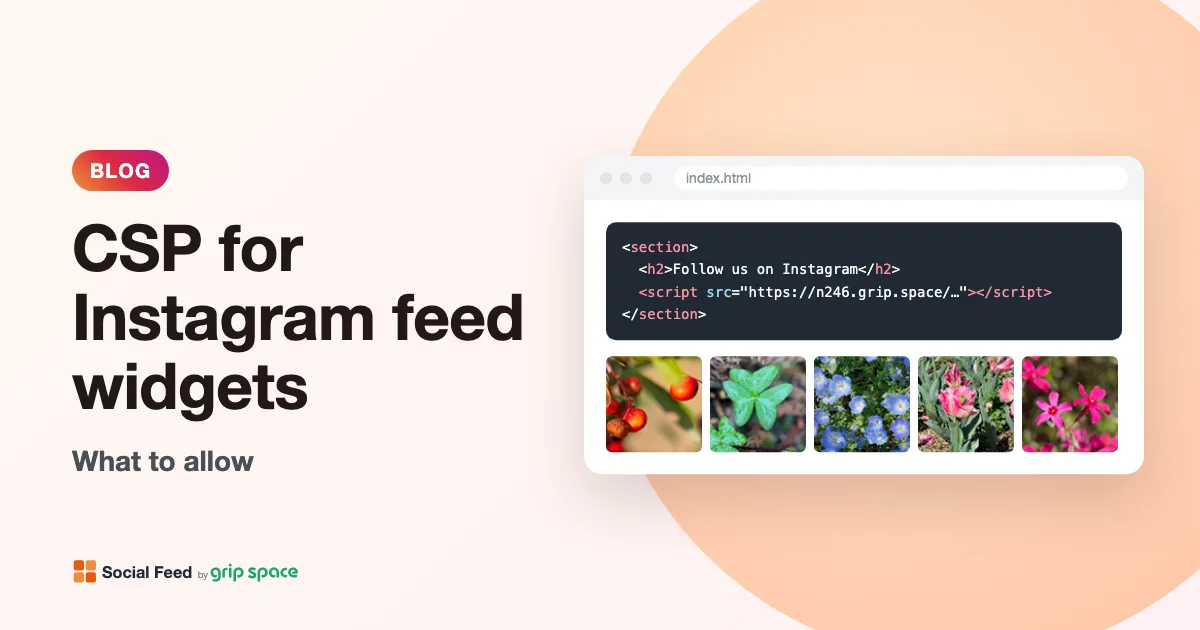
What a Content Security Policy does
A Content Security Policy is a set of rules your website sends to the browser, usually as an HTTP response header named Content-Security-Policy. The rules list which places the page may load scripts, images, videos, styles and other resources from. Anything not on the list is refused. The main purpose is to limit the damage of cross-site scripting: even if an attacker manages to inject a script tag, the browser won’t run it unless its source is allowed.
The rules are grouped into directives. Each fetch directive controls one kind of resource: script-src for JavaScript, img-src for images, media-src for audio and video, style-src for CSS, connect-src for requests made from scripts, and so on. If a directive is missing, the browser falls back to default-src. MDN puts it this way: if img-src is omitted but default-src is included, the default-src policy is applied to images.
That fallback is why a strict policy such as default-src 'self' blocks every third-party widget at once. A feed widget loads a script from one host and pictures from another, and neither is “self”.
What Social Feed loads, and from where
Before writing any rules, it helps to know exactly what the widget does in the browser. Social Feed by grip space is embedded with a single script tag. When that script runs, it builds the feed right after the tag, in your page’s own HTML (there is no iframe). The list of posts is already inside the script, so the widget doesn’t make any further data requests. Here is everything it loads:
| What | Where it comes from | Directive that applies |
|---|---|---|
| The embed script | https://n246.grip.space (the host in the src of your embed code) | script-src |
| Post images and video thumbnails | Instagram’s content delivery network (CDN), loaded directly by the browser | img-src |
| The account’s profile picture in the header | Instagram’s CDN | img-src |
| Videos played in the lightbox | Instagram’s CDN | media-src |
| The view counter | A tiny image request to https://n246.grip.space | img-src |
| Layout and appearance | Inline styles and one small style element created by the script | style-src |
And here is what it does not need, so you can keep these directives as strict as you like:
- connect-src: the widget makes no fetch or XMLHttpRequest calls. The posts arrive inside the script itself.
- frame-src and child-src: there is no iframe. The feed is ordinary page content.
- font-src: the widget loads no fonts. Text uses your page’s font.
- Cookies and storage: not a CSP topic, but often asked in the same review. The widget sets no cookies and doesn’t use localStorage.
Links in the feed (the Follow button, “View on Instagram”, and the optional “Powered by Social Feed” credit) are normal links that open in a new tab. Following a link is navigation, which the fetch directives don’t control, so they need no entry.
The directives you need
Here is a complete example policy that allows Social Feed and nothing else from outside your own site. Use it as a reference and merge the relevant parts into your existing policy; don’t replace a policy you already have with this one.
Content-Security-Policy:
  default-src 'self';
  script-src 'self' https://n246.grip.space;
  img-src 'self' https://n246.grip.space https://*.cdninstagram.com https://*.fbcdn.net;
  media-src 'self' https://*.cdninstagram.com https://*.fbcdn.net;
  style-src 'self' 'unsafe-inline'
Each line, explained:
- script-src https://n246.grip.space lets the browser load the embed script. Without it, nothing appears at all, because nothing runs.
- img-src https://n246.grip.space lets the view counter request through. The feed displays fine without it, but views won’t be counted. That matters on the Free and Light plans, where the dashboard’s view count is what you use to keep an eye on the monthly view allowance.
- img-src with the Instagram CDN hosts lets the photos, video thumbnails and profile picture load. Without it, the feed’s structure appears but the tiles stay as plain gray squares.
- media-src with the Instagram CDN hosts lets videos play when a visitor opens one in the lightbox. Without it, the thumbnail shows but the video won’t play.
- style-src 'unsafe-inline' lets the widget apply its layout. This one needs a longer explanation, which follows below.
About the Instagram CDN hostnames
The image and video addresses in your feed are provided by Instagram through its API. The widget passes them to the browser unchanged; it doesn’t proxy or copy them. That means the hostnames are chosen by Instagram, not by us, and they are not a fixed, published list. They can differ from post to post, between regions, and over time.
In practice, these addresses often sit under subdomains of cdninstagram.com or fbcdn.net, which is why the example above uses the wildcards https://*.cdninstagram.com and https://*.fbcdn.net. CSP supports wildcards for subdomains: MDN’s example is that https://*.example.com permits resources from any subdomain of example.com. But treat these two entries as a starting point, not a guarantee. The reliable source is your own page:
- Open the page with the feed in Chrome, Edge or Firefox.
- Open the developer tools (F12, or Cmd+Option+I on a Mac) and choose the Console tab.
- Reload the page. If the policy blocks something, the console shows an error for each blocked address. In Chrome these start with “Refused to load” and name the address and the directive it violated.
- Copy the hostname from the address (the part between https:// and the next slash) and add it, or a matching wildcard, to the directive named in the error.
- Open a few posts in the lightbox, including a video, and check the console again. Video requests only happen when a video is opened, so they won’t show up on the first load.
Because the hosts can change, a policy that lists one exact hostname, such as a single numbered subdomain, may work today and break when Instagram serves the same images from a different server. A subdomain wildcard for the parent domain you see in the errors is much more robust.
Why style-src needs 'unsafe-inline'
This is the part of the setup that surprises developers the most, so it’s worth being precise. The widget sets the size, spacing and position of everything it draws with inline styles. It does this in three ways: it sets element styles from JavaScript, it builds a few small pieces (icons, the like and comment counts, slider arrows) from HTML that includes style attributes, and it adds one small style element for the hover effect.
MDN’s style-src reference explains how a CSP treats each of these. Inline style elements and style attributes are blocked unless the policy allows them. Styles applied from JavaScript by setting the style attribute directly or by setting cssText are blocked too. Only setting individual properties through an element’s style property, such as element.style.display, is exempt. The widget uses cssText and style attributes, so a policy that doesn’t allow inline styles will block much of its layout.
The result is not an empty space but a broken feed: the script runs and the images may load, but without their sizes and positions. If your feed appears unstyled or jumbled, look for style-src errors in the console.
The widget currently has no way to work with style nonces or hashes, so the practical choices are:
- Add
'unsafe-inline'to style-src (or to both style-src-elem and style-src-attr, if your policy uses those finer directives). MDN warns that 'unsafe-inline' defeats much of the purpose of a CSP, and that is a real trade-off. Note that this allowance applies to styles only; it doesn’t let inline scripts run, which are governed by script-src. - Leave styles locked down and accept that this widget isn’t a fit for that page. If your security requirements rule out inline styles, that’s a legitimate decision, and no setting in Social Feed changes it.
One more point, in fairness to your security reviewer: if your policy already contains a nonce or hash in style-src, browsers ignore 'unsafe-inline' in that same directive. Adding 'unsafe-inline' next to a nonce therefore won’t help. You would need to decide which approach the page uses.
Nonce-based and strict policies
Many modern policies don’t list hosts in script-src at all. Instead, the server generates a random nonce for every response and only scripts carrying that nonce may run. Often the policy also includes 'strict-dynamic'. MDN notes that when 'strict-dynamic' is present, allowlists and source expressions such as 'self' and 'unsafe-inline' are ignored, and trust comes only from the nonce or hash.
If your site works this way, adding https://n246.grip.space to script-src does nothing. The embed script tag itself needs the nonce:
<script nonce="THE-NONCE-YOUR-SERVER-GENERATED"
        type="text/javascript"
        src="https://n246.grip.space/api/v1/instagram/widget/xxxxxxxx"></script>
Whether this is possible depends on your setup. A framework or server template that injects the current nonce into script tags can do it; a content management system that stores your pasted code as fixed HTML usually can’t, because the nonce must be different on every response and unpredictable. If you can’t attach the nonce, place the embed somewhere the CMS can add it for you, or ask your developer how third-party scripts are handled on the site. The widget doesn’t load any further scripts, so once the tag itself is trusted there is nothing else to approve in script-src.
Trusted Types
A few sites go a step further and enforce Trusted Types with require-trusted-types-for 'script'. According to MDN, that makes DOM injection sinks such as innerHTML reject plain strings and throw a TypeError. The widget builds some small parts of the feed (icons, counts, arrow buttons) by assigning HTML strings to innerHTML, so it is not compatible with an enforced Trusted Types policy at this time. If your site uses one, the feed will fail with a TypeError in the console, and we would rather tell you that now than have you spend an afternoon looking for a missing host.
Where to set or change the policy
Your policy lives wherever your site’s headers are set. Common places:
| Where your policy comes from | Where to change it |
|---|---|
| Apache configuration or an .htaccess file | A Header directive (example below) |
| nginx configuration | An add_header directive in the server or location block (example below) |
| A WordPress security or headers plugin | The plugin’s settings screen. Look for “Content Security Policy” or “security headers”. |
| Your web framework (Next.js, Django, Rails, Laravel and others) | The framework’s headers or middleware configuration, usually in code |
| A CDN or reverse proxy in front of your site | The CDN’s response header rules |
| A meta tag in the page’s HTML | The <meta http-equiv="Content-Security-Policy"> tag in your template |
| A hosted website builder | Check your platform’s help center. If you never set a policy yourself, a CSP is less likely to be the cause; check the console to be sure. |
An Apache example, in your virtual host configuration or .htaccess (requires mod_headers):
Header always set Content-Security-Policy "default-src 'self'; script-src 'self' https://n246.grip.space; img-src 'self' https://n246.grip.space https://*.cdninstagram.com https://*.fbcdn.net; media-src 'self' https://*.cdninstagram.com https://*.fbcdn.net; style-src 'self' 'unsafe-inline'"The same policy for nginx:
add_header Content-Security-Policy "default-src 'self'; script-src 'self' https://n246.grip.space; img-src 'self' https://n246.grip.space https://*.cdninstagram.com https://*.fbcdn.net; media-src 'self' https://*.cdninstagram.com https://*.fbcdn.net; style-src 'self' 'unsafe-inline'" always;And as a meta tag, placed in the head before any scripts:
<meta http-equiv="Content-Security-Policy"
      content="default-src 'self'; script-src 'self' https://n246.grip.space; img-src 'self' https://n246.grip.space https://*.cdninstagram.com https://*.fbcdn.net; media-src 'self' https://*.cdninstagram.com https://*.fbcdn.net; style-src 'self' 'unsafe-inline'">
MDN notes that the meta form “does not support all CSP features”, and a report-only policy can’t be delivered through a meta tag at all. If you have the choice, use the HTTP header. If the page already has a policy, remember that every policy present applies: MDN states that adding policies can only further restrict what the page may do. A new meta tag can’t loosen a header policy, so edit the policy that is actually blocking the feed.
Test without breaking your site
Changing a live CSP can block things you didn’t think of. The safe way is report-only mode. A policy sent in a Content-Security-Policy-Report-Only header is not enforced; the browser only reports what it would have blocked. MDN also notes that when both headers are present, the regular policy is enforced and the report-only one only generates reports. That lets you trial a new version alongside the current one.
Content-Security-Policy-Report-Only:
  default-src 'self';
  script-src 'self' https://n246.grip.space;
  img-src 'self' https://n246.grip.space https://*.cdninstagram.com https://*.fbcdn.net;
  media-src 'self' https://*.cdninstagram.com https://*.fbcdn.net;
style-src 'self' 'unsafe-inline'- Send your proposed policy in the Report-Only header, alongside your existing enforced policy.
- Open the page with the feed, scroll through it, open several posts in the lightbox (photos, carousels and a video) and use the slider arrows if you use the slider layout.
- Read the console. Report-only violations are listed there, and if you configured a report endpoint with report-to, they are also sent to it.
- Add any missing hosts, repeat, and switch the header name to Content-Security-Policy once the console is clean.
- Check the page again on a phone, since mobile visitors can be served images from different servers.
Symptoms and what they mean
| What you see | Likely cause | Fix |
|---|---|---|
| Nothing at all where the feed should be; console error mentions script-src | The embed script is blocked | Add https://n246.grip.space to script-src, or add the nonce to the tag on a nonce-based policy |
| Header and frame appear, but tiles are gray squares | Instagram images blocked | Add the CDN hosts named in the console to img-src |
| Layout looks broken or unstyled | Inline styles blocked | Allow 'unsafe-inline' in style-src, or decide the widget isn’t right for this page |
| Video thumbnail shows in the lightbox, but the video won’t play | Video blocked | Add the CDN hosts named in the console to media-src |
| Feed works but the dashboard view count stays at zero | View counter blocked | Add https://n246.grip.space to img-src |
| TypeError mentioning innerHTML or TrustedHTML | Trusted Types are enforced | The widget isn’t compatible with enforced Trusted Types at this time |
| Worked last week, now some images are blocked | Instagram served images from a host your policy doesn’t list | Use a subdomain wildcard for the parent domain shown in the error |
If the console shows no CSP errors at all, the policy isn’t your problem. Our checklist Instagram feed not showing on your website? covers the other causes, from an unpublished widget to a page builder that strips scripts.
A short checklist to send your developer
If someone else manages your site’s headers, this is everything they need, in one list:
- script-src: add
https://n246.grip.space, or attach the page’s nonce to the embed script tag if the policy is nonce-based. - img-src: add
https://n246.grip.space(view counter) and the Instagram CDN hosts that appear in console errors, as subdomain wildcards. - media-src: add the same Instagram CDN hosts, if the feed includes videos.
- style-src: allow 'unsafe-inline' (or on style-src-elem and style-src-attr), and make sure the directive contains no nonce or hash that would cancel it.
- No changes needed to connect-src, frame-src, child-src or font-src.
- Not compatible with enforced Trusted Types.
- Test with Content-Security-Policy-Report-Only first, including opening a video in the lightbox.
One detail that trips people up: a wildcard such as https://*.cdninstagram.com covers subdomains, not the bare domain itself. If an error ever names an address without a subdomain, add that exact host as well.
Is allowing a third-party script safe?
It’s a fair question for any widget, ours included. Allowing a script host in script-src means trusting that host: the script runs with the same access to your page as your own code. That is true of every analytics tag, chat widget and embed you add. A CSP doesn’t make a third-party script safe; it makes sure that only the third parties you chose can run.
A few things keep the footprint of Social Feed small, and you can verify each of them in your browser’s developer tools: one script from one host, no further scripts loaded, no data requests from the page, no cookies or local storage, no iframes, and media loaded straight from Instagram rather than through us. If your policy needs to be reviewed by someone else, the table at the top of this article is the list to give them.
Frequently asked questions
Do I need connect-src for the widget? No. The widget doesn’t make fetch or XMLHttpRequest calls; the posts are part of the script. If you see a connect-src error on the page, it comes from something else.
Do I need to allow instagram.com? Not for the feed to display. Images and videos come from Instagram’s CDN hosts, not from instagram.com itself. Links to your profile and posts are navigation, which fetch directives don’t restrict.
Does the preview in the dashboard tell me whether my CSP is fine? No. The dashboard preview runs on our site, under our policy. Only your live page, with your policy, shows what visitors will get. That’s also why “it works in the preview but not on my site” is a classic CSP symptom.
Will changing widget settings require CSP changes? No. Layout, columns, filters, click behavior and the rest are all applied by the same script from the same host. The only setting with a CSP effect is including videos: if videos are shown and visitors open them in the lightbox, media-src needs the Instagram hosts.
I have several feeds on one page. Do they need separate entries? No. Every widget uses the same script host, so one entry covers all of them. See multiple Instagram feeds on one website for how to set them up.
Does the slider layout need anything different? No. The slider loads all of its images right away instead of lazily, so CSP errors for images appear immediately on page load, which actually makes them easier to spot. See grid or slider for the differences.
Related reading
For a plain-language overview of script-based embeds, read how to add an Instagram feed without a plugin. For video behavior, see Instagram videos and Reels on your website. Step-by-step installation guides are available for WordPress, Shopify, Wix, Squarespace, Webflow and plain HTML. Ready to try it? Create a free account or compare the plans.
Sources
- MDN Web Docs, “Content-Security-Policy header”: https://developer.mozilla.org/en-US/docs/Web/HTTP/Reference/Headers/Content-Security-Policy
- MDN Web Docs, “Content Security Policy (CSP)” guide: https://developer.mozilla.org/en-US/docs/Web/HTTP/Guides/CSP
- MDN Web Docs, “CSP: script-src”: https://developer.mozilla.org/en-US/docs/Web/HTTP/Reference/Headers/Content-Security-Policy/script-src
- MDN Web Docs, “CSP: img-src”: https://developer.mozilla.org/en-US/docs/Web/HTTP/Reference/Headers/Content-Security-Policy/img-src
- MDN Web Docs, “CSP: media-src”: https://developer.mozilla.org/en-US/docs/Web/HTTP/Reference/Headers/Content-Security-Policy/media-src
- MDN Web Docs, “CSP: style-src”: https://developer.mozilla.org/en-US/docs/Web/HTTP/Reference/Headers/Content-Security-Policy/style-src
- MDN Web Docs, “CSP: require-trusted-types-for”: https://developer.mozilla.org/en-US/docs/Web/HTTP/Reference/Headers/Content-Security-Policy/require-trusted-types-for
Get your embed code in a few minutes. The Free plan needs no credit card.
Sign up freeMore articles
How to add alt text to Instagram posts (and why it matters on your website)
How to write and edit alt text on Instagram, what makes a good description, and what happens to it when your posts appear on your website.
Read the article →
Making social media embeds on your website more accessible
A practical WCAG checklist for social media embeds: images, keyboard, focus, motion, video and contrast, plus an honest look at what our feed widget does and doesn’t do.
Read the article →
Core Web Vitals and third-party embeds: a practical guide for small sites
How social feeds, videos and other embeds affect LCP, INP and CLS, how to measure the impact on a small site, and practical fixes that don’t need a developer.
Read the article →
Instagram embed vs. feed widget speed: what each one loads on your page
What Instagram’s native embed loads (embed.js plus an iframe per post) compared with a feed widget (one script plus images), and how to measure both yourself.
Read the article →
How to add an Instagram feed to Carrd
Add an auto-updating Instagram feed to a Carrd site with the Embed element (Pro Standard or higher): steps, layout tips, sections, columns and fixes.
Read the article →
How to show only Instagram Reels on your website
Set up a Reels-only Instagram feed on your website: the Reels filter, how videos play, layout tips, and why some Reels show as still images.
Read the article →