
Smash Balloon alternative: an Instagram feed that works outside WordPress
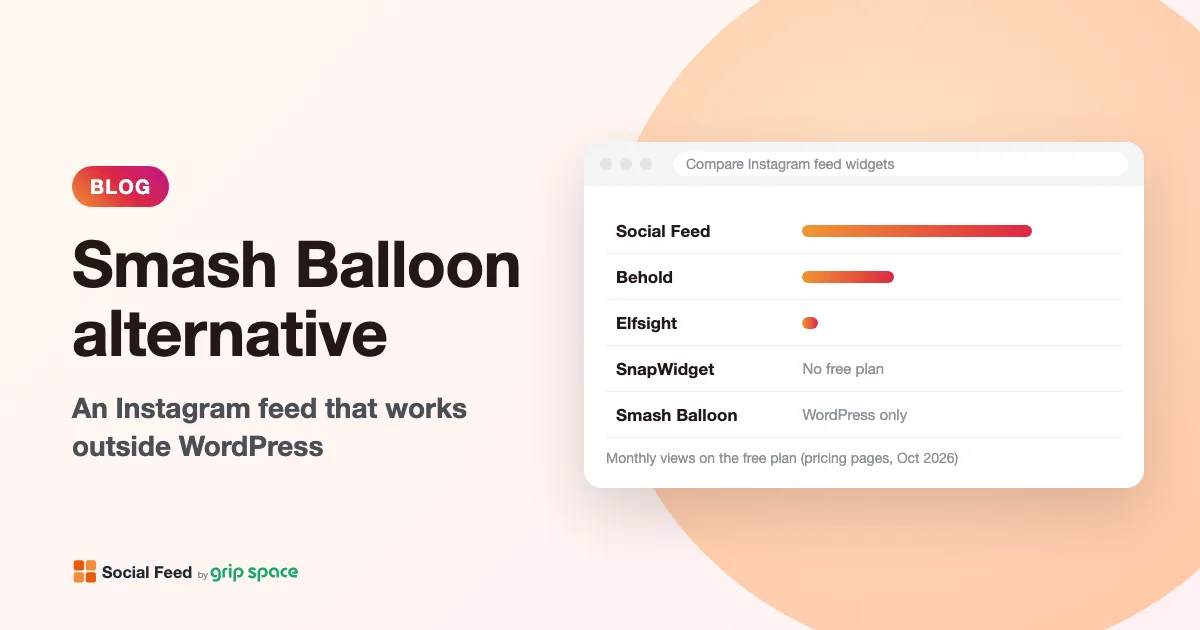
Smash Balloon’s Instagram Feed is one of the most popular WordPress plugins, and for many WordPress sites it is a good choice. But it only works on WordPress. If your site runs on Shopify, Wix, Squarespace, Webflow, Framer or plain HTML, or if you are moving away from WordPress, you need something else. This article compares Smash Balloon with Social Feed by grip space, a hosted Instagram widget that works on any site where you can paste HTML, and is honest about what each one does better.
Updated October 12, 2026
The short answer
- Your site is on WordPress and you want everything managed inside WordPress: Smash Balloon is a strong option, and its free plugin is a good place to start. You may not need an alternative at all.
- Your site is not on WordPress (Shopify, Wix, Squarespace, Webflow, Framer, Ghost, a site builder or hand-written HTML): Smash Balloon cannot run there. Smash Balloon’s own FAQ says: “Our plugins are designed and built for WordPress and so don’t work with other platforms.” A hosted widget such as Social Feed by grip space is the kind of tool you need.
- You run several sites on different platforms, or plan to move off WordPress: a hosted widget keeps working wherever you paste the code, so the feed moves with you.
- You need hashtag feeds, tagged posts, shoppable feeds, Stories or post moderation: Smash Balloon offers these on its paid plans. Social Feed by grip space does not.
Why Smash Balloon is WordPress-only
A WordPress plugin is software that runs on your own WordPress server. Smash Balloon connects to Instagram from your site, stores the posts, and builds the feed’s HTML in your pages. You manage feeds in the WordPress dashboard and place them with a block, a widget or a shortcode such as [instagram-feed feed=2], as the WordPress.org page describes.
Hosted platforms like Shopify, Wix, Squarespace, Webflow and Framer do not let you install WordPress plugins, because they are not WordPress. On those platforms, the usual way to add an Instagram feed is an embed code: a small piece of HTML you paste into the page, which loads the feed from the provider’s service.
Social Feed by grip space works this way. You connect your Instagram account and design the feed in our dashboard, then paste one script tag where the feed should appear:
<script type="text/javascript" src="https://n246.grip.space/api/v1/instagram/widget/xxxxxxxx"></script>The script draws the feed in the visitor’s browser, right next to where the tag sits. It is not an iframe, so the feed sits in your page’s layout and adapts to the space it is given. Because it is just HTML, the same code works on WordPress too, in a Custom HTML block.
Side by side
| Smash Balloon (Instagram Feed) | Social Feed by grip space | |
|---|---|---|
| How it works | WordPress plugin that runs on your site | Hosted widget: one script tag on any site |
| Platforms | WordPress only | Any site where you can add HTML, including WordPress |
| Free option | Free plugin on WordPress.org | Free plan: 1 widget, up to 16 posts, 3,000 views a month |
| Paid pricing | Yearly licenses by number of sites; first year discounted, renewals at full price | Monthly or yearly; counted by widgets and monthly views, not sites |
| Lowest paid plan | Basic: $49 first year, 1 website (normally $98) | Light: $8 a month or $80 a year, 3 widgets, 30,000 views |
| View limits | None stated | Free 3,000, Light 30,000, Standard unlimited (per month) |
| Accounts per feed | Free plugin can combine multiple accounts into one feed | One account per widget |
| Lightbox and captions | Paid plans (listed as Pro features on WordPress.org) | Included on every plan, including Free |
| Hashtag feeds | Plus plan and up | Not available |
| Tagged and shoppable feeds | Elite plan and up | Not available |
| Stories | “Live Stories” listed from Basic | Not available |
| Hide individual posts | Visual moderation from Plus | Not available (filters only) |
| Keyword filtering | Plus plan and up | Included on every plan |
| Analytics | Feed Analytics on Elite | View count and chart per widget on every plan |
| Other networks | Facebook, X, YouTube, TikTok, Reviews and Social Wall in the All Access Bundle | Instagram only |
The table shows the real trade-off. Smash Balloon has more Instagram features, especially on its higher plans, but only inside WordPress. Social Feed by grip space does fewer things, but works on any platform and includes the lightbox, captions and filters on its free plan.
What Smash Balloon does that we don’t
If any of these matter to you, Smash Balloon (or another tool that lists them) is the better choice, and we would rather you know that up front.
- Hashtag feeds. Show public posts with a hashtag, and combine them with your own posts (Plus plan and up). Social Feed by grip space shows only the account you connect.
- Tagged and shoppable feeds. Show posts where customers tag you, and link posts to products (Elite plan and up).
- Stories. The pricing page lists “Live Stories” from the Basic plan. We do not show Stories.
- Visual moderation. Hide individual posts (Plus and up). In our widget you can filter posts by caption keywords, date range and type, but you cannot pick single posts to hide or pin.
- Several accounts in one feed. The free plugin can combine multiple accounts into one feed. Each of our widgets shows one account.
- More layouts and a Load More button. Masonry and highlight layouts (paid), random sorting, and a “Load More” button (free). Our widget offers a grid or a slider with a fixed number of posts.
- Likes and comments. Paid plans show captions, likes and comment counts. Our lightbox can show the caption and like count, but not comments.
- Everything inside WordPress. Smash Balloon has a visual customizer in your dashboard, a Gutenberg block and an Elementor widget, and it serves images as local WebP files from your own site. Its WordPress.org page also says feeds show saved posts when Instagram cannot be reached, and its pricing page lists “Downtime Prevention” on paid plans.
- No view limits. Neither the pricing page nor the WordPress.org page states a view limit, since the plugin runs on your own server. Our Free and Light plans have monthly view limits.
- Other networks. The All Access Bundle includes Facebook, X/Twitter, YouTube, TikTok and Reviews feeds plus a Social Wall.
- GDPR consent plugins. The plugin integrates with several WordPress cookie consent plugins, with a one-click GDPR setting.
What Social Feed by grip space does differently
- Works outside WordPress. One script tag works on Shopify, Wix, Squarespace, Webflow, Framer, Ghost, BigCommerce, GoDaddy, plain HTML and WordPress itself. We have step-by-step guides for each platform.
- Lightbox and captions on the free plan. On Smash Balloon, these are paid features. Our free widget can open posts in a lightbox with the caption and/or like count, play videos there, and show all images of a carousel post.
- Filters on every plan. Include or exclude Reels, show or hide carousel posts, include videos, limit posts to the last 30, 90 or 365 days, and show only (or hide) posts whose captions contain certain keywords.
- Monthly pricing. Pay by the month, or by the year for a lower price. There is no first-year discount that changes at renewal.
- Nothing to update on your server. There is no plugin to keep up to date, and the feed’s settings live in our dashboard. Change the design there and every page with the code shows the new version.
- Light on the page. The widget sets no cookies and does not use local storage. Images load from Instagram’s servers; in a grid, rows below the first load only when the visitor scrolls near them.
- View counts per widget. The dashboard shows how many times each widget was viewed, with a chart, on every plan.
Price over two years
Comparing first-year prices can mislead, because Smash Balloon’s pricing page says “Special introductory pricing, all renewals are at full price.” Here is the cost of the entry plans over two years, using the prices on each pricing page. We assume Smash Balloon renews at the “normally” price shown next to each plan; its page does not list a separate renewal figure.
| Plan | Year 1 | Year 2 | Two years | What you get |
|---|---|---|---|---|
| Smash Balloon free plugin | $0 | $0 | $0 | WordPress only; no lightbox or captions |
| Social Feed Free | $0 | $0 | $0 | Any platform; 1 widget, 16 posts, 3,000 views a month, daily updates, credit shown |
| Smash Balloon Basic | $49 | $98 | $147 | 1 WordPress site, unlimited feeds |
| Social Feed Light (yearly) | $80 | $80 | $160 | 3 widgets on any sites, 30 posts, 30,000 views a month |
| Smash Balloon Plus | $99 | $198 | $297 | 5 WordPress sites, adds hashtag feeds and moderation |
| Smash Balloon Elite | $149 | $298 | $447 | 10 WordPress sites, adds tagged and shoppable feeds and analytics |
| Social Feed Standard (yearly) | $240 | $240 | $480 | Unlimited widgets and views, 50 posts per widget |
For a single WordPress site, Smash Balloon Basic and our Light plan cost about the same over two years. The real question is not price but platform and features: Smash Balloon gives you more Instagram features inside WordPress, while our plans let you use the same feed anywhere. Smash Balloon’s page also lists a 14-day money-back guarantee.
Understanding view limits
Because our widget is hosted, the Free and Light plans include a monthly number of views. A view is counted each time the feed loads, not each visitor. A feed on one page counts only when that page is opened; a feed in a footer that appears on every page counts on every page view.
To pick a plan, add up last month’s page views for every page that will show the feed. Under 3,000 fits the Free plan, under 30,000 fits Light, and anything above that needs Standard, which has no view limit. If you go over your limit two months in a row, the feed pauses from the following month. We email you when you reach 80% and 100% of your limit, so you have time to upgrade or move the feed to fewer pages.
How to switch from Smash Balloon
Moving is quick, because there is no data to migrate: both tools read your posts directly from Instagram.
- Check your Instagram account type. Our widget needs a professional account (Business or Creator). Switching a personal account is free; here is how.
- Create your widget. Sign up, click “+ Connect Instagram account”, then open “Settings & preview”. Choose a grid or slider, columns, number of posts, spacing and click behavior to match your current feed as closely as you like.
- Note where your feeds are. On WordPress, list the pages, posts and widget areas that use the Smash Balloon block, widget or shortcode.
- Copy the embed code from “Add the embed code to your website” in our dashboard.
- Paste it on your new platform, or, if you are staying on WordPress, replace each Smash Balloon block or shortcode with a Custom HTML block containing the code. Our WordPress guide covers blocks, widgets and theme templates.
- Check the live pages, on desktop and on a phone. Many page builders and editors do not run scripts in the editing view, so judge the result on the published page.
- Deactivate the plugin once the new feed is in place everywhere, if you no longer need it.
Recreating your Smash Balloon design
Most visitors will not notice the switch if the new feed looks like the old one. Here is how common Smash Balloon free-plugin settings, as listed on its WordPress.org page, map to settings in our dashboard.
| Smash Balloon setting | In Social Feed by grip space | Notes |
|---|---|---|
| Number of photos | Number of posts | Up to 16 on Free, 30 on Light, 50 on Standard |
| Desktop, tablet and mobile columns | Columns | One setting; the widget uses fewer columns by itself when tiles would be smaller than about 100 pixels |
| Image spacing | Image spacing | Set in pixels |
| Feed width | Max width | 0 to 2,000 pixels; 0 fills the available space |
| Header with avatar and bio | Account header | Shows avatar, name and post count; no bio |
| “Follow on Instagram” button | Follow button | Custom label, color and margin |
| “Load More” button | No equivalent | Choose a fixed number of posts, or use the slider to let visitors swipe through more |
| Photos, Videos and Reels toggles | Reels, videos and carousel filters | Plus period and caption keyword filters |
| Background color | No equivalent | Set the background on the section of your page that holds the feed |
For help choosing between a grid and a slider, see Grid or slider? Choosing a layout for your Instagram feed.
Privacy and consent
If you serve visitors in the EU or other places with strict privacy rules, look at how each tool loads content. Smash Balloon’s free plugin integrates with several WordPress cookie consent plugins and stores images as local WebP files on your site, according to its WordPress.org page. Its privacy section says the plugin connects to “Instagram.com and Facebook.com” to fetch posts.
Our widget does not set cookies and does not use local storage. Its script loads from our service, and the images and videos load directly from Instagram’s servers, so visitors’ browsers do connect to Instagram when the feed is shown. Mention both in your privacy policy, and if your consent setup blocks third-party content until visitors agree, treat the feed like other embedded content. Neither of us can give you legal advice; when in doubt, ask a privacy professional.
Questions to ask before you switch
- Which platform will your site be on a year from now? If the answer might not be WordPress, a hosted widget saves you a second migration later.
- Do you use hashtag, tagged or shoppable feeds today? If yes, our widget cannot replace them. Keep Smash Balloon or choose a tool that lists those features.
- Do you hide individual posts? If you rely on moderation, check whether our caption keyword and date filters cover what you need before switching.
- How many page views do the pages with the feed get? This decides which of our plans fits.
- How many sites or feeds do you need? Smash Balloon counts websites; we count widgets. One widget can be pasted on several pages.
Which sites is a hosted widget best for?
- Online stores on Shopify or BigCommerce that want their latest Instagram posts on the home page or product pages. See our Shopify guide and BigCommerce guide.
- Sites built with Wix, Squarespace, Webflow or Framer, where WordPress plugins are not an option. See the Wix, Squarespace, Webflow and Framer guides.
- Agencies and freelancers who build on more than one platform and want one way to add a feed for every client.
- Small WordPress sites that only need a clean feed of their own account with a lightbox, and would rather not add another plugin. See adding a feed without a plugin.
If you need hashtags, user-generated content, shoppable posts or several networks in one wall, look at tools that list those features. Our comparison of 10 Instagram feed tools covers them.
Frequently asked questions
Can I use Smash Balloon on Shopify, Wix or Squarespace?
No. Smash Balloon’s FAQ says its plugins are built for WordPress and “don’t work with other platforms.” Those platforms need an embed code or an app made for them.
Is Smash Balloon free?
There is a free plugin on WordPress.org, which WordPress.org lists with “1+ million” active installations. It includes feeds from your own accounts, combining accounts, layouts, a Load More and a Follow button. The lightbox, captions, hashtag feeds and moderation are listed as Pro features.
Is your free plan really free?
Yes. The Free plan costs $0 with no credit card: one widget, up to 16 posts, 3,000 views a month, and new posts once a day. A small “Powered by Social Feed” link is always shown below the feed on the Free plan; on paid plans it is optional.
Can I use your widget on WordPress instead of Smash Balloon?
Yes. Paste the code in a Custom HTML block, a widget area or a theme template. It does not need a plugin. If you want everything managed in the WordPress dashboard, or need hashtag or shoppable feeds, Smash Balloon may suit you better.
How fast do new posts appear?
On our Free plan, once a day; on Light and Standard, right away. Smash Balloon’s pages we checked do not state an update interval. With any tool, page caching on your site can delay changes.
Do both need a professional Instagram account?
Ours does: it uses the official Instagram API, which works with Business and Creator accounts. Smash Balloon’s WordPress.org page notes that personal account connections needed reconnecting before December 2024, when Meta retired the old Basic Display API (what changed). Check Smash Balloon’s setup guide for its current requirements.
Want to compare more tools? Read Instagram feed widgets compared: 10 tools, their free plans, prices and limits, or learn more about Social Feed by grip space and see our pricing.
Sources
- Smash Balloon, Instagram Feed pricing (plans, features by plan, renewals, guarantee, FAQ): https://smashballoon.com/pricing/instagram-feed/
- WordPress.org, “Smash Balloon Social Photo Feed” (free plugin features, Pro features, active installations): https://wordpress.org/plugins/instagram-feed/
- Social Feed by grip space: pricing
Get your embed code in a few minutes. The Free plan needs no credit card.
Sign up freeMore articles
Instagram access token expired: what it means for your website feed
Why Instagram access tokens expire, how long they last, how Social Feed renews them automatically, and what to do when your connection stops working.
Read the article →
Changed your Instagram username? What happens to your website feed
After an Instagram username change, your website feed keeps showing posts, but the @name and Follow button still use the old name. Here is how to update them.
Read the article →
Can you show a private Instagram account on your website?
Why a private Instagram account can’t power a website feed, what Instagram’s rules and API require, and your real options if you want to stay private.
Read the article →
Where to put an Instagram feed on your website: placements that make sense
Homepage, footer, About, Contact, product pages, blog, thank-you pages, landing pages: where an Instagram feed helps, where it gets in the way, and why.
Read the article →
Instagram feed for restaurant and café websites: what to show and where
How restaurants and cafés can use an Instagram feed: which posts to show, where to place them, and filter recipes for menus, specials and Reels.
Read the article →
How to add an Instagram feed to a Ghost site
Three ways to show your Instagram posts on a Ghost site: an HTML card, Code Injection, or a theme partial. Which to use, step by step, and what each can’t do.
Read the article →